

🚀 New: Slevomat integration, external voucher management and notes for orders & clients
Dear partners,
this time we have news that will especially please those of you who use Slevomat or other external vouchers.
You can now easily accept, verify and manage them directly in Booqito. 👇
🎟️ What you can now do
- ✅ Accept Slevomat vouchers (API integration)
- ✅ Accept any other external vouchers
- ✅ Get a clear overview of all vouchers directly in the order
- ✅ Verify or redeem a voucher at any time (manually or via API)
- ✅ Automatic alerts for unredeemed vouchers
💡 How it works in practice
👉 The customer enters a voucher at booking 👉 Booqito automatically:
- checks it against your vouchers
- verifies it via Slevomat (if enabled)
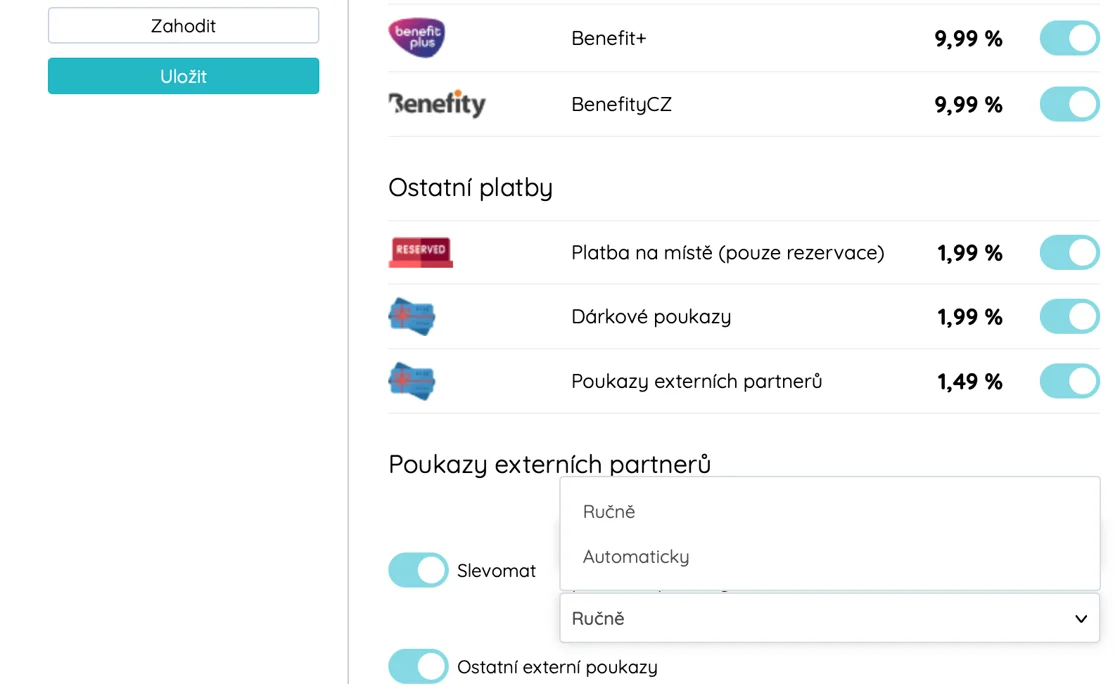
- redeems it (if you have the automatic option turned on)
👉 The order goes through without delay 👉 You don’t have to go into the Slevomat admin to redeem vouchers
⚙️ Redemption options
1) Manual redemption
You check and redeem the voucher directly in the order detail in Booqito.
👉 Ideal if you run multiple campaigns on Slevomat and want to be sure the voucher matches a specific booking.
2) Automatic redemption
Turn it on in settings and Booqito takes care of the rest. The voucher is automatically redeemed at the moment the free cancellation window ends (e.g. 2 days in advance – according to your settings).
👉 If the customer doesn’t show up, the voucher automatically expires 👉 If the booking needs to change, you can still edit it without issues even after redemption
🔧 How to enable the feature
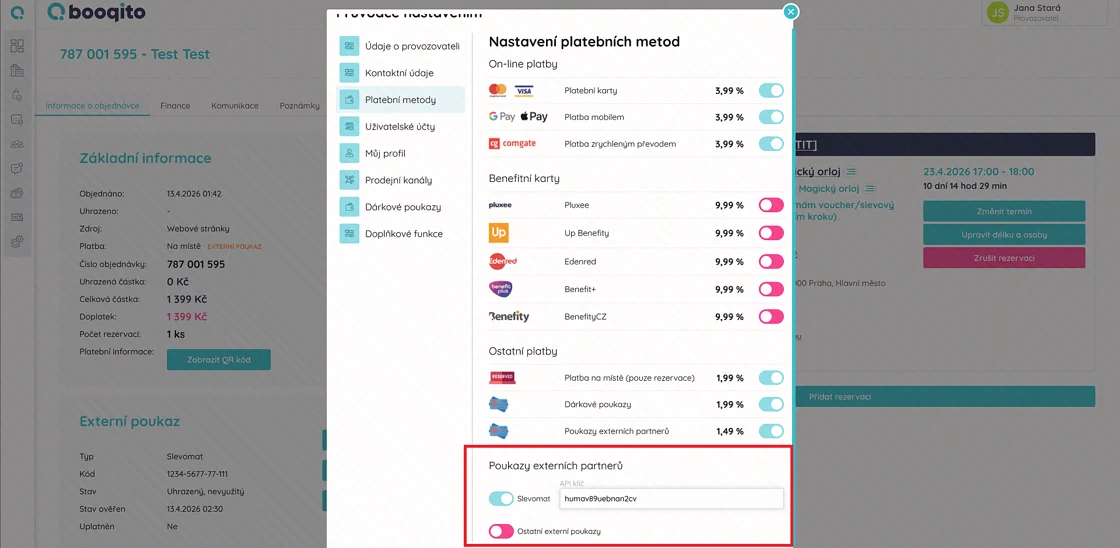
Settings → Payment methods → Slevomat
🔍 Better control = fewer mistakes
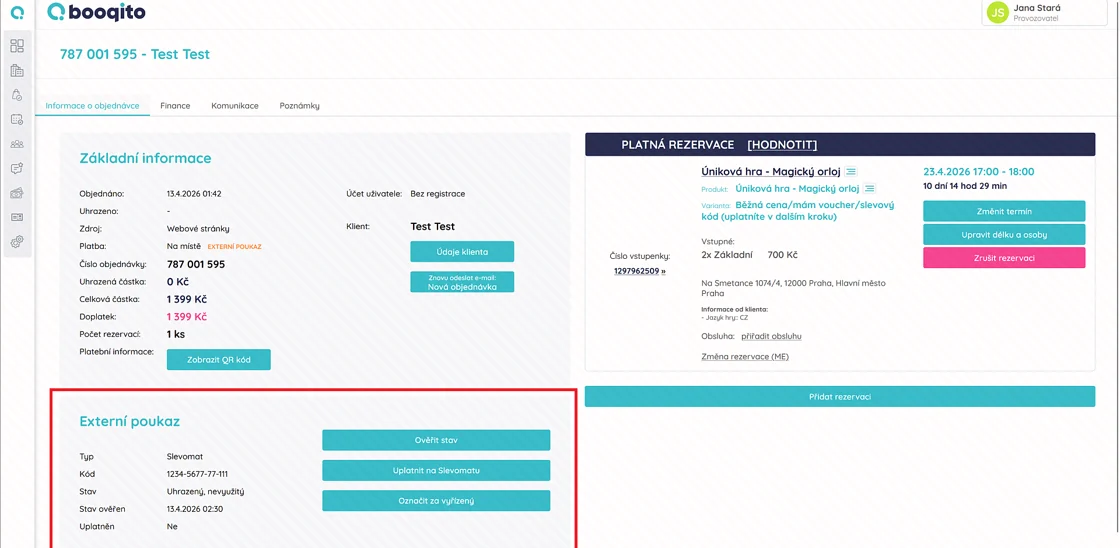
- the list shows the voucher type (Slevomat / other)
- the order detail shows the verification status + time of the last check
- option to re-verify a voucher with one click
- overview of whether it has already been redeemed
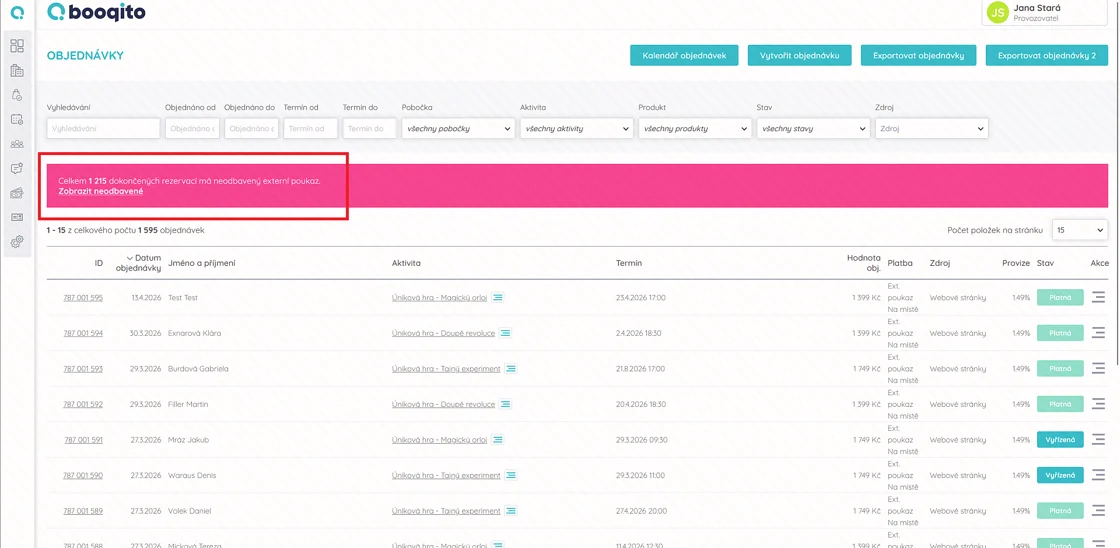
👉 Plus a new alert when you forget to redeem a voucher
⚠️ Duplicate vouchers? You’re covered
If a customer uses the same code multiple times (only for unknown external vouchers – outside of Booqito, Slevomat and SkvěléČesko), Booqito will alert you.
👉 you stay in control, but keep the flexibility (e.g. for complaints)
📝 New: Notes for clients and orders
👉 What you can now do?
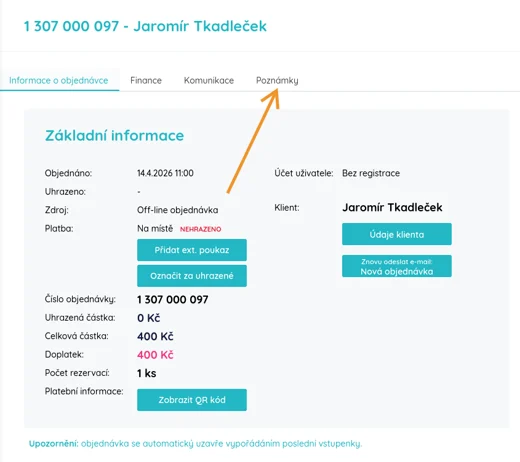
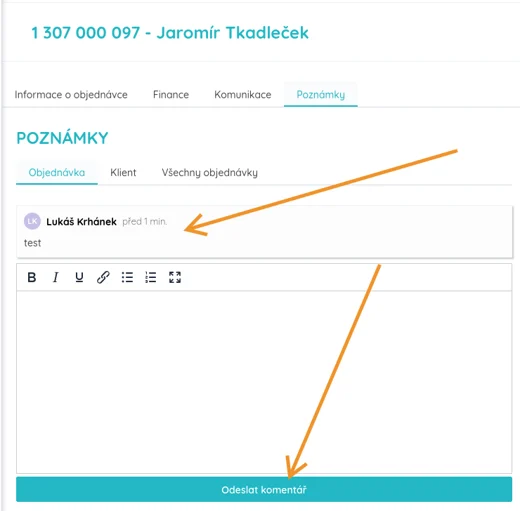
- ✅ Write notes on a specific order
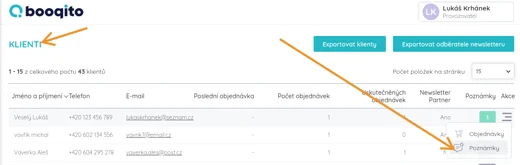
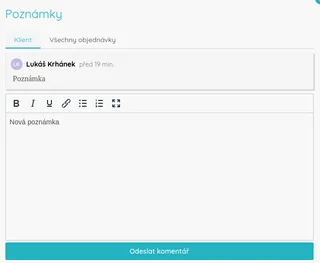
- ✅ Write notes on a client
- ✅ See the full history in one place
- ✅ Communicate within the team (threads like a chat)
🔗 Everything is connected
👉 notes on a client are visible on their orders too 👉 notes from orders are synced back to the client
🎯 What this really brings you
- ✅ Less chaos around vouchers
- ✅ Fewer mistakes during redemption
- ✅ Better overview of your customers
- ✅ Easier team communication
👉 How to enable it and get the API key?
Just go into settings and activate Slevomat and external vouchers (and optionally add the Slevomat API key). Request the key from your Slevomat sales representative. Just tell them you want the API key for automated voucher redemption.
If you run into any issues, contact us 🙂
If you’d like help with the setup, just reach out 👋 We’re happy to walk you through it.
🤝 Partner Program
Do you know businesses in your area that could benefit from Booqito? Join our partner program and earn a commission for every new client you recommend – up to 4,000 CZK.
Thank you for being with us 🙏
If you have any questions, we’re of course here for you. We’re constantly working to make Booqito as intuitive as possible and your business run smoothly. Have an idea for a further improvement? Let us know – many of our updates come from your suggestions.
Best wishes for smooth reservations,
The Booqito Team
Did you like the article?
Subscribe to our newsletter and receive similar articles directly to your email.